
Instructions
Download this document and answer the questions in it. Then, upload your answers to Box.
Remember to anonymize your submission. Your file name should contain only your Participant ID Number and the section number. For example, if your Participant ID Number is 103, your file name should be “SFD12_P103.docx.” Note that “SFD” stands for “Solar Farm Design.” Section 1.2 is abbreviated as 12. “P” stands for “Participant.”
Click here to return to Section 1.2 in the textbook.
Click here for Aladdin Reference Slides.
Practice Example: Solar Farm Design
Previously, you gained some initial understanding of the definition of the solar farm design problem by looking at its design space and objective space. This next practice example will help you explore the design space in a more realistic context.
UT Austin is installing a solar farm at the Pickle Research Field and needs your help creating the best design. Most of the design has already been completed, but a small part of it is still under construction. You will use a design tool called Aladdin to explore the design space and finish designing the rest of the solar farm!
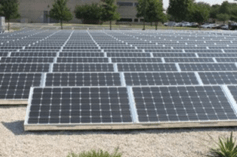
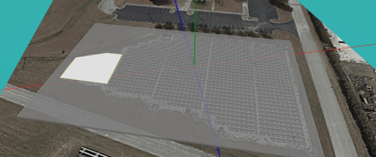
Click here to open the Aladdin model of the Pickle solar farm. Make sure to Sign in to your account, so your design can be saved.
Aladdin: Quick Start

When you open the Aladdin model, you can:
| Add new solar panel | Click on  icon icon |
| Move solar panels | Drag the orange center of the solar panel  |
| Rotate solar panels | Click and drag the curved arrows next to the solar panel  OR right click on the solar panel and select “Relative Azimuth” OR right click on the solar panel and select “Relative Azimuth” |
| Change solar panel tilt angle | Drag along the arch above a solar panel  OR right click on solar panel and select “Tilt Angle” to set a precise value OR right click on solar panel and select “Tilt Angle” to set a precise value |
| Expand solar panel | Click and drag the white dots on any side of the solar panel to expand the solar panel row width and length   |
| Copy and paste new panels | Right click a solar panel and click “copy” then select another area on the solar farm and right click and click “paste” |
| See coordinates of solar panel | Hover over solar panel to see coordinates  |
Use this chance to explore a few different designs. For example, a flat and dense design has already been provided for you. First, try to create a design that is the opposite, with large tilt angles and large spacing.
● Take a screenshot (“Main Menu > File > Take Screenshot”)
● Replace the first image placeholder below (Right click > “Replace image > From file…”)
● Move the screenshot onto the appropriate location on the design space below.
● Save your design as a cloud file in Aladdin (“Main Menu > File > Save As Cloud File…”)

Great, now try again! Can you use the same template to create another design that is different from either of the previous two? Take another screenshot, replace the other image placeholder, and place it in the design space above. Save your second design as a cloud file as well.
Congratulations! You have just finished your very first solar farm designs.
 SiDi LAB | Discover More